From transcript to governed record. Automatically.
Faa's AI reads the Teams transcript, writes a structured record with the evidence behind every claim, and delivers it where your people already work.
- 01
Meeting happens in Teams
No bot joins. No audio or video is recorded. Capture is opt-in, and confidential meetings can be excluded.
- 02
Processed inside your tenant
Analysed by Azure OpenAI models in your own subscription. No note-taker vendor's cloud is involved.
- 03
A structured record
Summary, decisions with verified quotes and timestamps, actions with real owners, risks and open questions.
- 04
Delivered and stored
Through Teams, email and Planner. Stored in your SharePoint.
- 05
Actions, with reminders
The organiser sends actions with owners and due dates. Owners get a daily digest.
One record per meeting. Everything else follows from it.
Every record opens with a 60-second read.
What's for you, the headline, then three bullets. Below it: decisions marked Decided, Leaning or Parked, actions with owners and due dates, risks, open questions and agenda coverage.
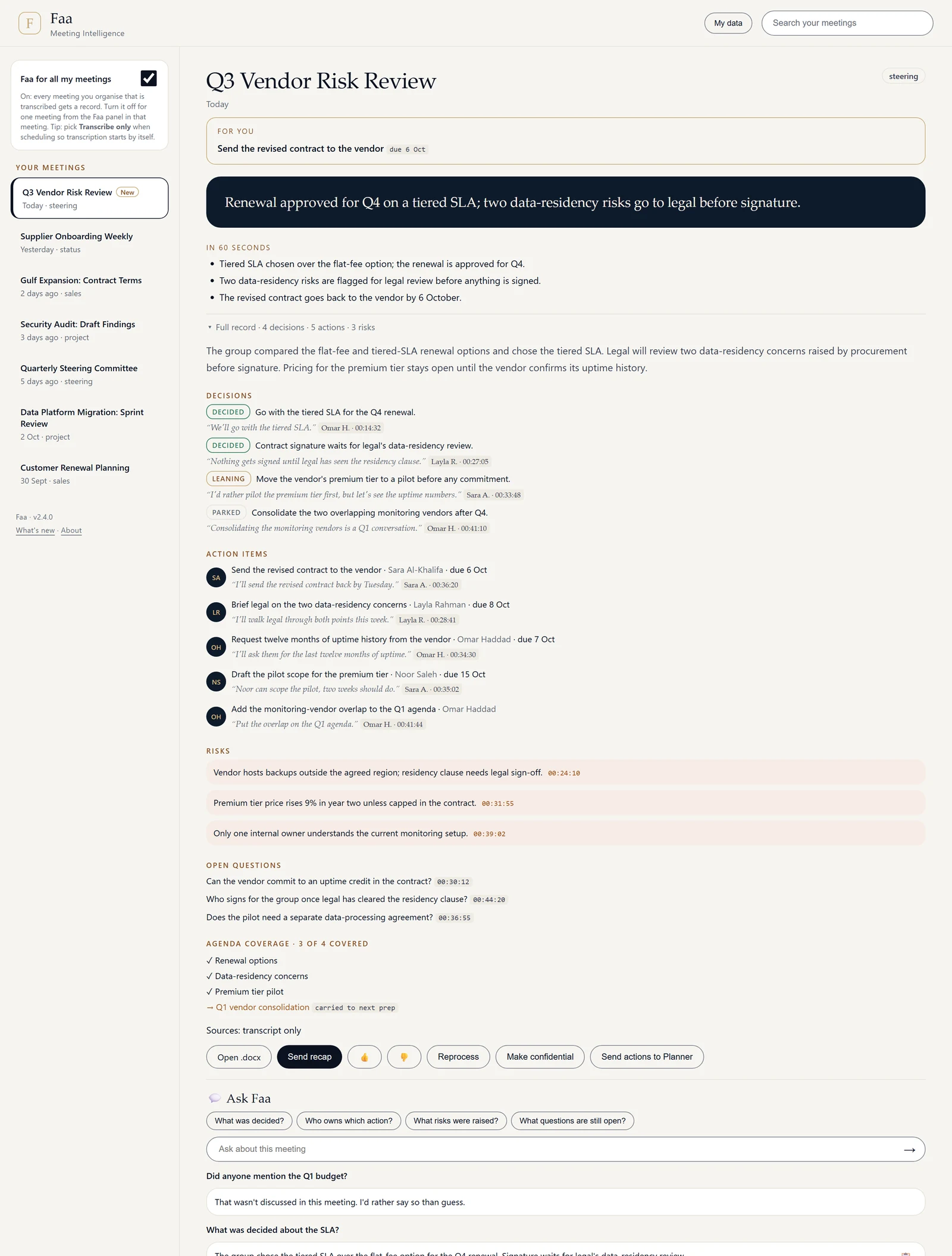
A panel inside Teams. No separate app to learn.
Faa adds its own panel to Teams: a list of every meeting that has been transcribed, and the full record for each. People see only the meetings they organised or attended.
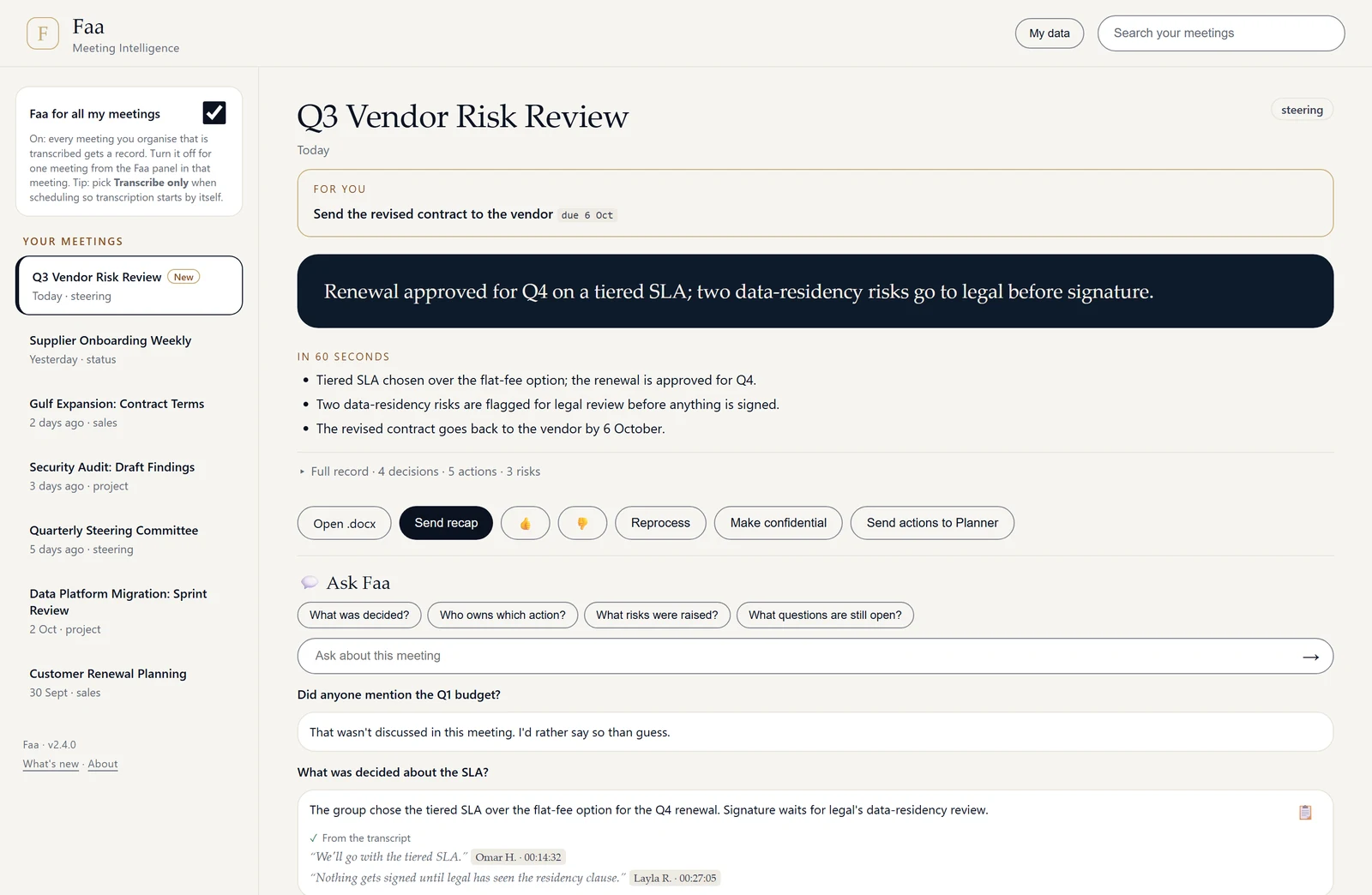
One send, and every attendee has the same facts.
The organiser sends the recap from Faa in Teams. It carries the headline, the 60-second read, decisions with their receipts and each person's actions, plus a link to open the full record.
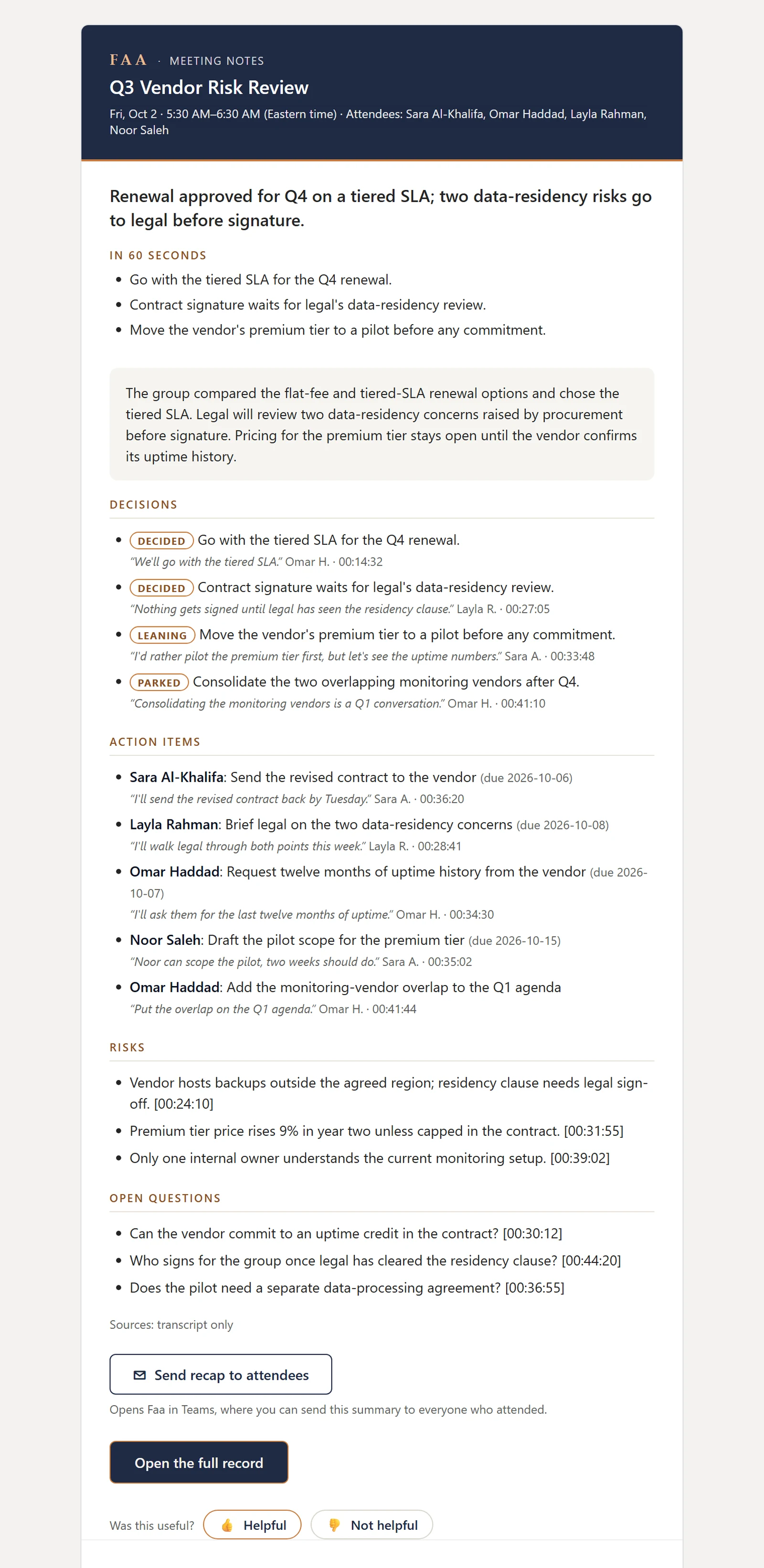
Ticked actions go to Planner in one step.
The organiser checks owners and due dates, then sends. Owners get one daily digest, with at most three reminders per task, and can switch reminders off. Actions that are never sent expire after seven days, with one email the day before.
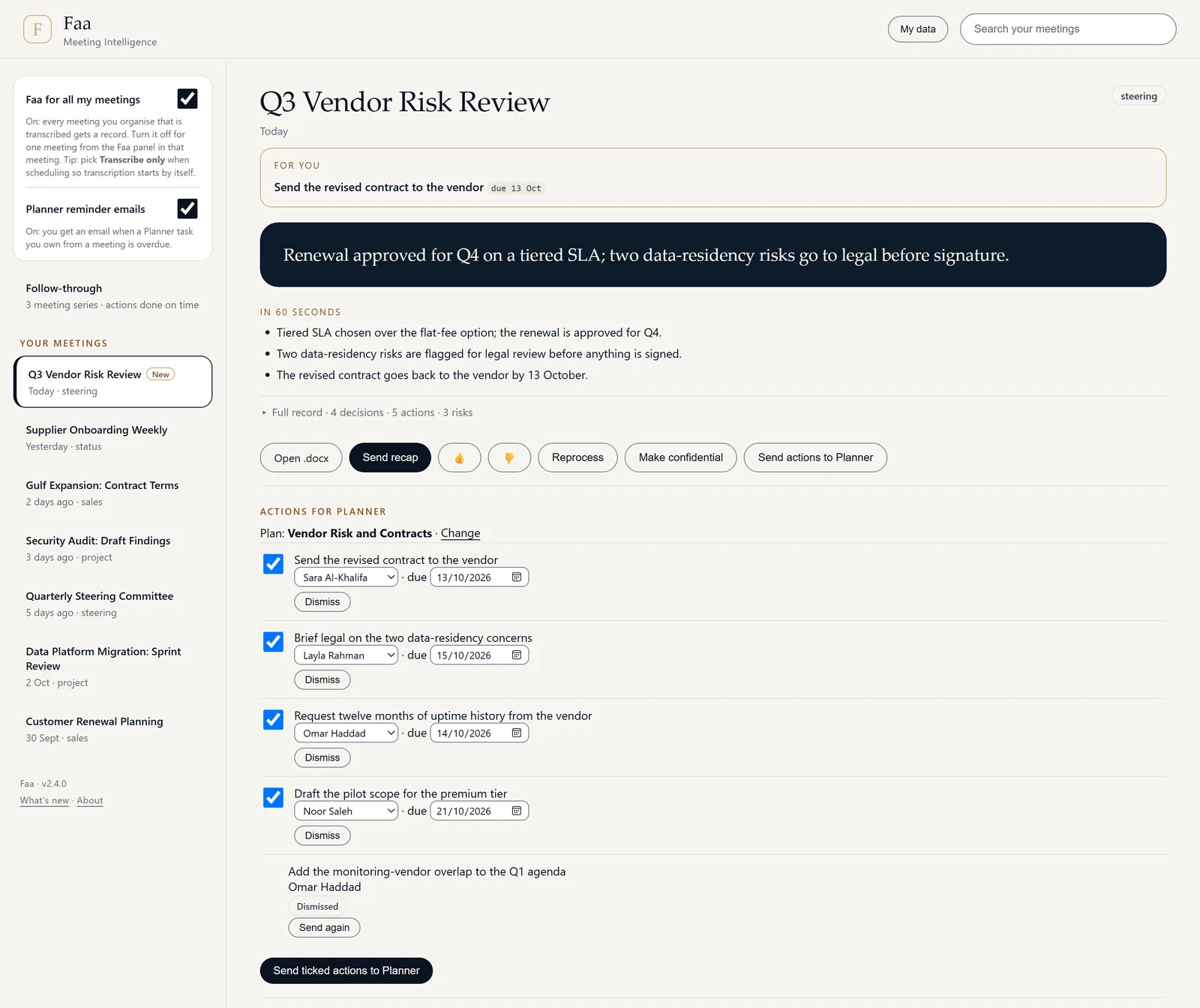
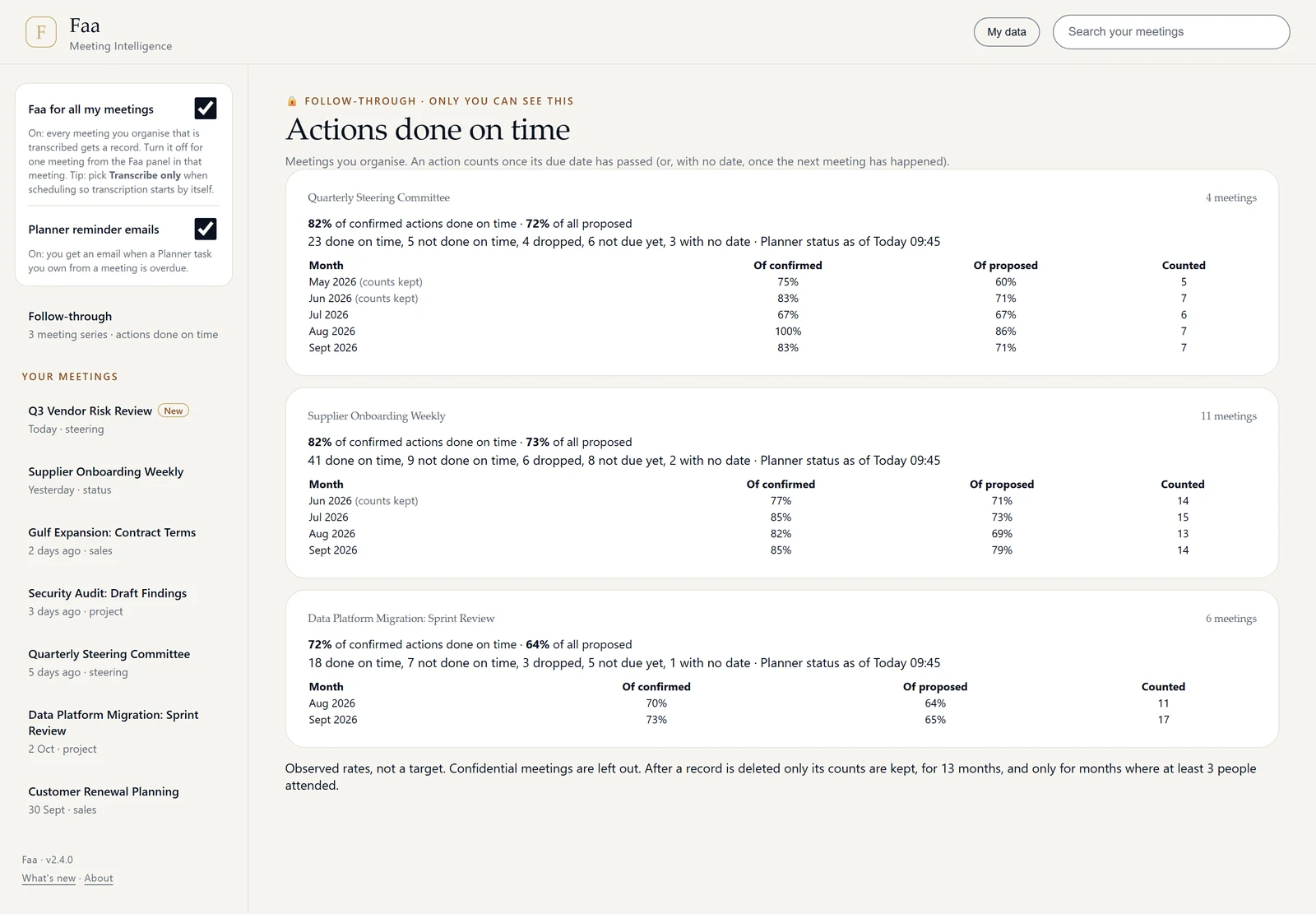
See whether actions actually got done.
The Follow-through view shows, per meeting series, how many actions were done on time. Only the organiser sees it, and confidential meetings are left out.
Answers with evidence. Or an honest “not discussed”.
Attendees can ask the panel anything about the meeting. Faa answers from the record and shows the quotes behind it. When the meeting didn't cover something, it says so rather than guessing.
- Grounded in the transcript, with speaker and timestamp
- Questions are kept only as long as the meeting's record
- In confidential meetings, only the organiser can ask
The next meeting starts where the last one stopped.
Before a recurring meeting, the organiser gets a suggested agenda, built from items that were carried over, questions still open and actions that are overdue.
- Agenda coverage shows which items were covered and which were left open
- Open items carry forward automatically
- Overdue actions are named, with their owner
Vendor Risk Review, next session
Suggested agenda
Overdue actions
Omar HaddadOverdue
Right to left. Not a translation layer.
The whole interface is in Arabic: the app, the meeting tab, the side panel and Admin. Everything Faa sends follows the language of the record.
- Emails, Teams cards, the Word file and Planner task text follow the record's language
- Records can be dual-language
- Each record shows the language the meeting was held in
- Faa warns when Teams transcribed the meeting in the wrong language
For the meetings that don't go to plan.
Arabic and other languages
Records follow the language of the meeting, including a full Arabic, right-to-left interface.
Rescue mode
Meetings with no transcript can still produce a usable record.
Off-the-record guide
Clear guidance for attendees on pausing capture for sensitive moments.
Agenda coverage
See which agenda items were covered and which were left open.
Judge the records for yourself.
We'll show you Faa in action, then talk through a pilot with one of your teams.