Your tenant. Your controls.
Faa adds no new place for your meetings to live. It runs inside your own Azure and Microsoft 365 tenant, so the identity, access, retention and audit controls you already have still apply.
- 01
Teams meeting
Transcript only. No bot joins; no audio or video is recorded.
- 02
Faa
Compute, queues and keys in the Azure region you select.
- 03
Azure OpenAI
Models validated by Momentum Solvers, in your own deployment.
- 04
Your records
Stored in your SharePoint. Delivered by Teams, email and Planner.
Access follows your Entra ID permissions. AI processing location follows your Azure OpenAI deployment type, and that deployment's terms apply.
Every location is one you picked.
- Azure OpenAI models validated by Momentum Solvers, deployed in your own subscription
- Access follows your Entra ID permissions. People see only their own meetings
- Confidential mode is enforced in code, not by a prompt
- Capture is opt-in. Your organisation controls retention, audit and deletion
| What | Where |
|---|---|
| Records at rest | Your Microsoft 365 data location |
| Faa compute, queues, keys | The Azure region you select |
| AI processing | Set by your Azure OpenAI deployment type: regional, data zone or global. Availability depends on model and region. |
Azure OpenAI does not use your prompts or outputs to train models. The model deployment's terms apply: Azure OpenAI retains prompts for up to 30 days for abuse monitoring unless Microsoft approves your organisation to modify this.
Controls you can inspect, not just trust.
Confidential mode, enforced in code
A confidential meeting carries its own restrictions: no emails are sent, Ask Faa is limited to the organiser, and the record is deleted after seven days. Confidential meetings never go to Planner.
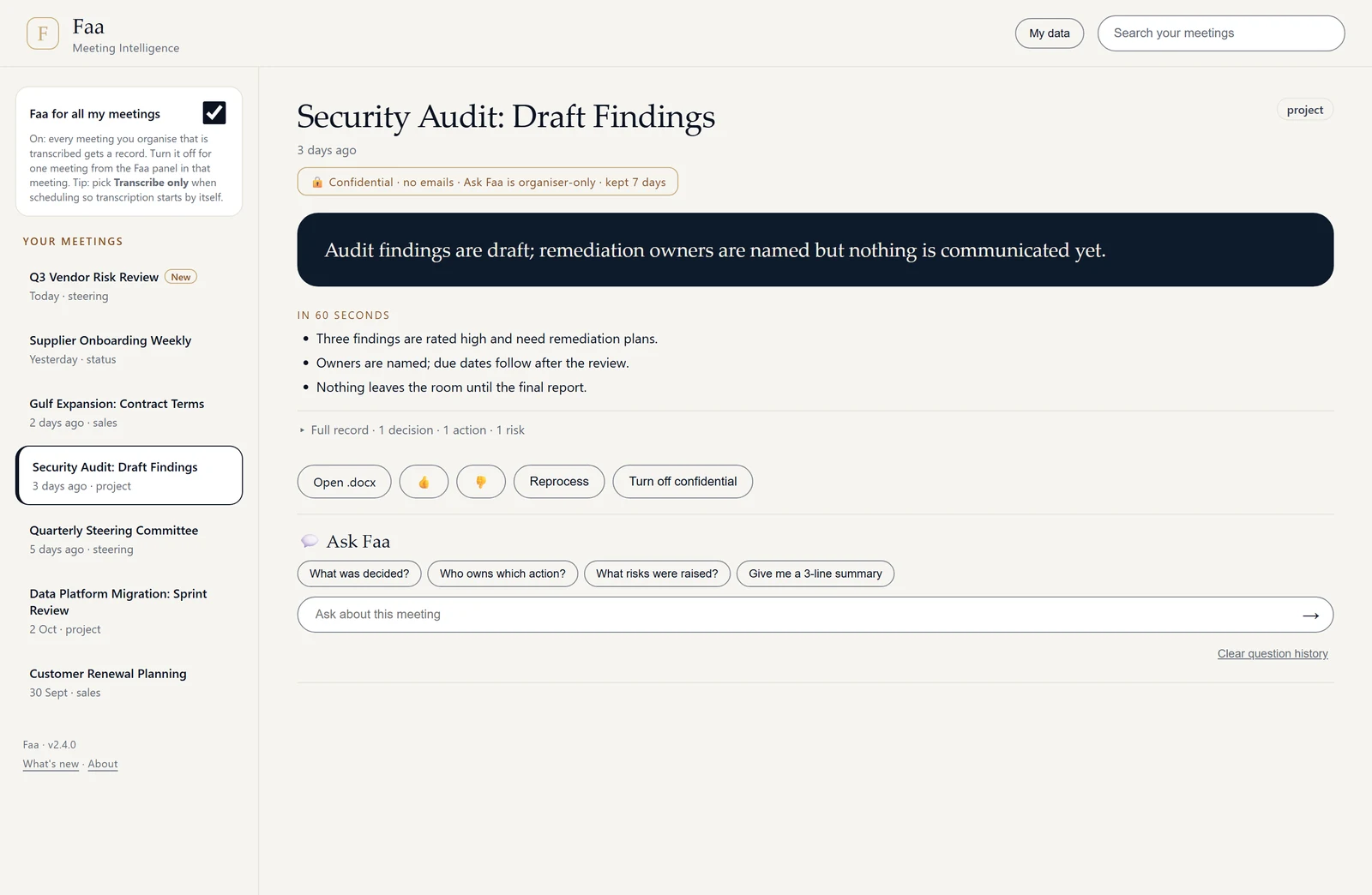
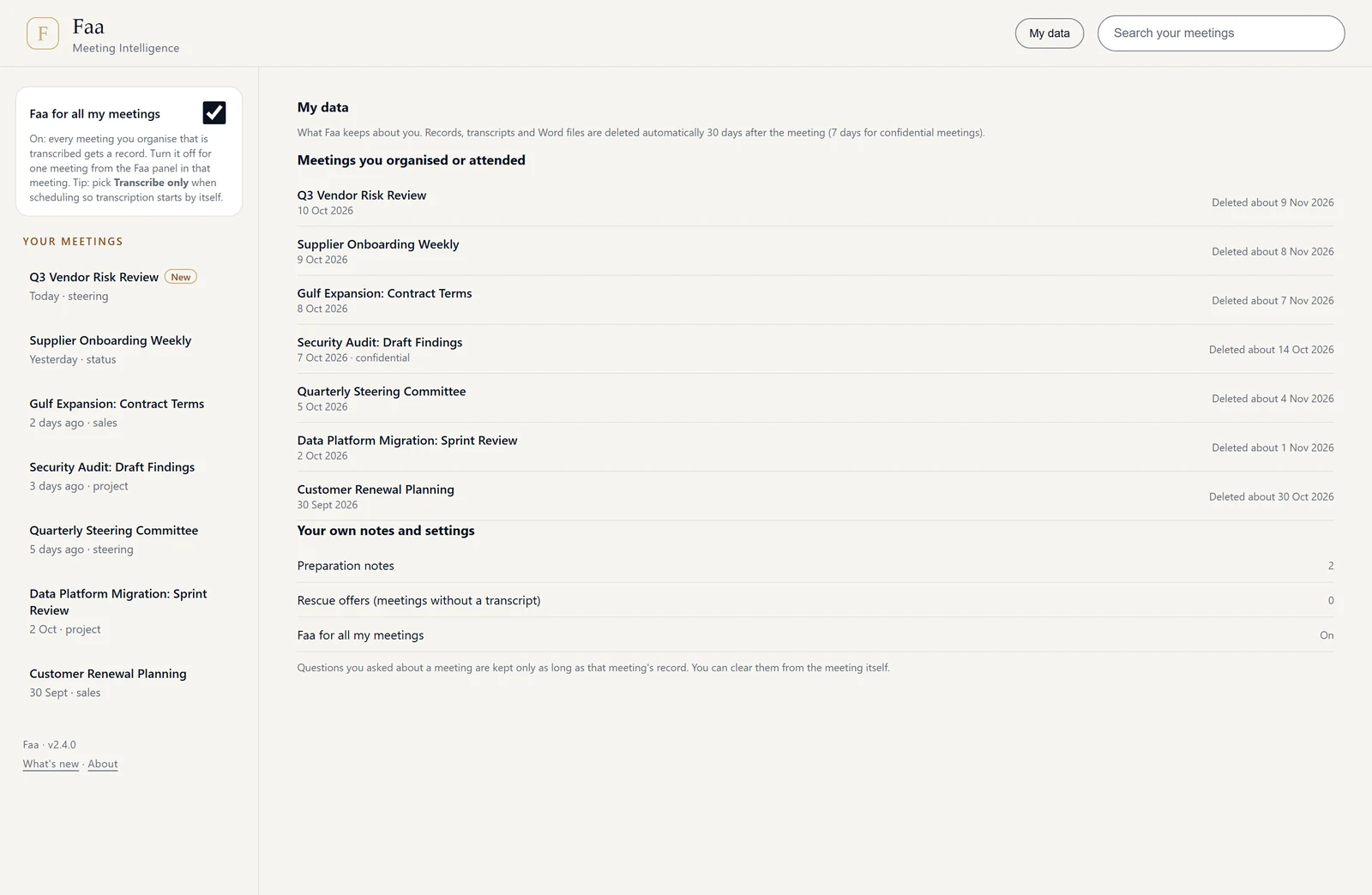
A “My data” page for everyone
Anyone can see what Faa holds about them and when each item will be deleted: 30 days after the meeting by default, seven for confidential meetings.
Check the installation any time
Your IT team can run 30 automated checks with faa verify. Every release is cryptographically signed, and you receive the verifier and the signing-key fingerprint through two separate channels, so you can check a bundle before you deploy it.
Alerts and an audit trail
Settings changes are audited, and operational alerts are raised inside your tenant.
Licence lapsed? Paused, not lost
Meetings are written up after renewal, within the catch-up window: 48 hours by default, up to 168.
Retention you can state
Follow-through counts and settings history are kept 13 months. Nothing about meeting content is stored outside your tenant.
Planner starts in Watch only
Planner starts in Watch only until an admin turns it on. After that, nothing is created without the organiser.
Opt-in capture
People can turn Faa off for a meeting, and confidential meetings can be excluded.
Accessibility
Reviewed against WCAG 2.1 AA.
Bring your IT team to the demo.
We'll walk through the deployment into your Azure subscription and Microsoft 365 tenant, and answer the questions buyers ask first.